How to Install the redditbot.dev Chrome Extension
redditbot.dev runs as a Chrome extension in your own browser, so there is no Reddit API key to apply for. Installing it takes about two minutes on a desktop or laptop with Google Chrome.
1.Create a free account
Sign up at redditbot.dev. Your first 10 actions are free and no card is needed.
2.Download the extension
In your dashboard, open the Extension page and click Download the extension. Unzip the file into a folder you'll keep (for example Documents/redditbot).
3.Open chrome://extensions
In Google Chrome, type chrome://extensions in the address bar and press Enter.
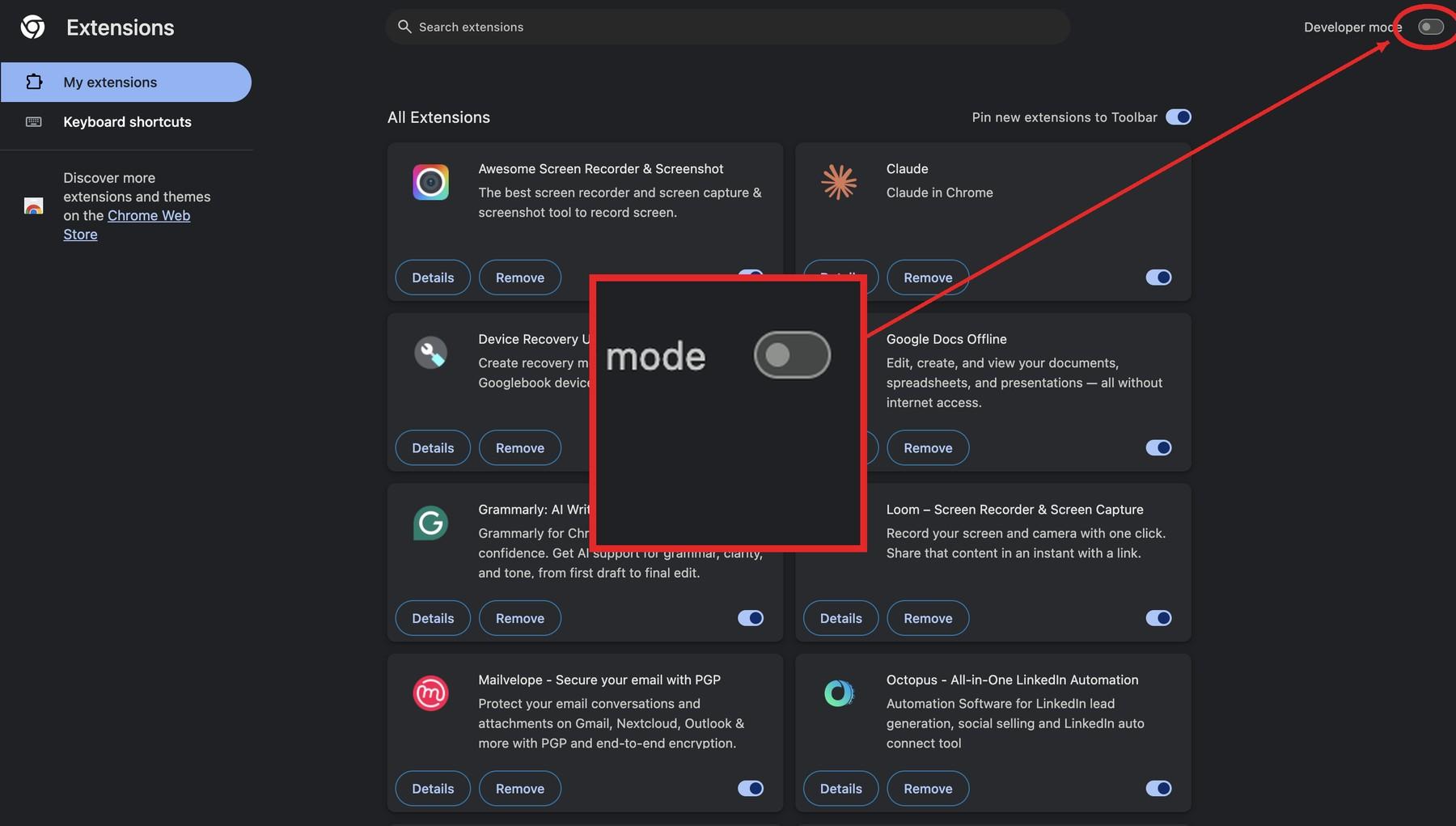
4.Turn on Developer mode
Switch on the Developer mode toggle in the top-right corner of the Extensions page.
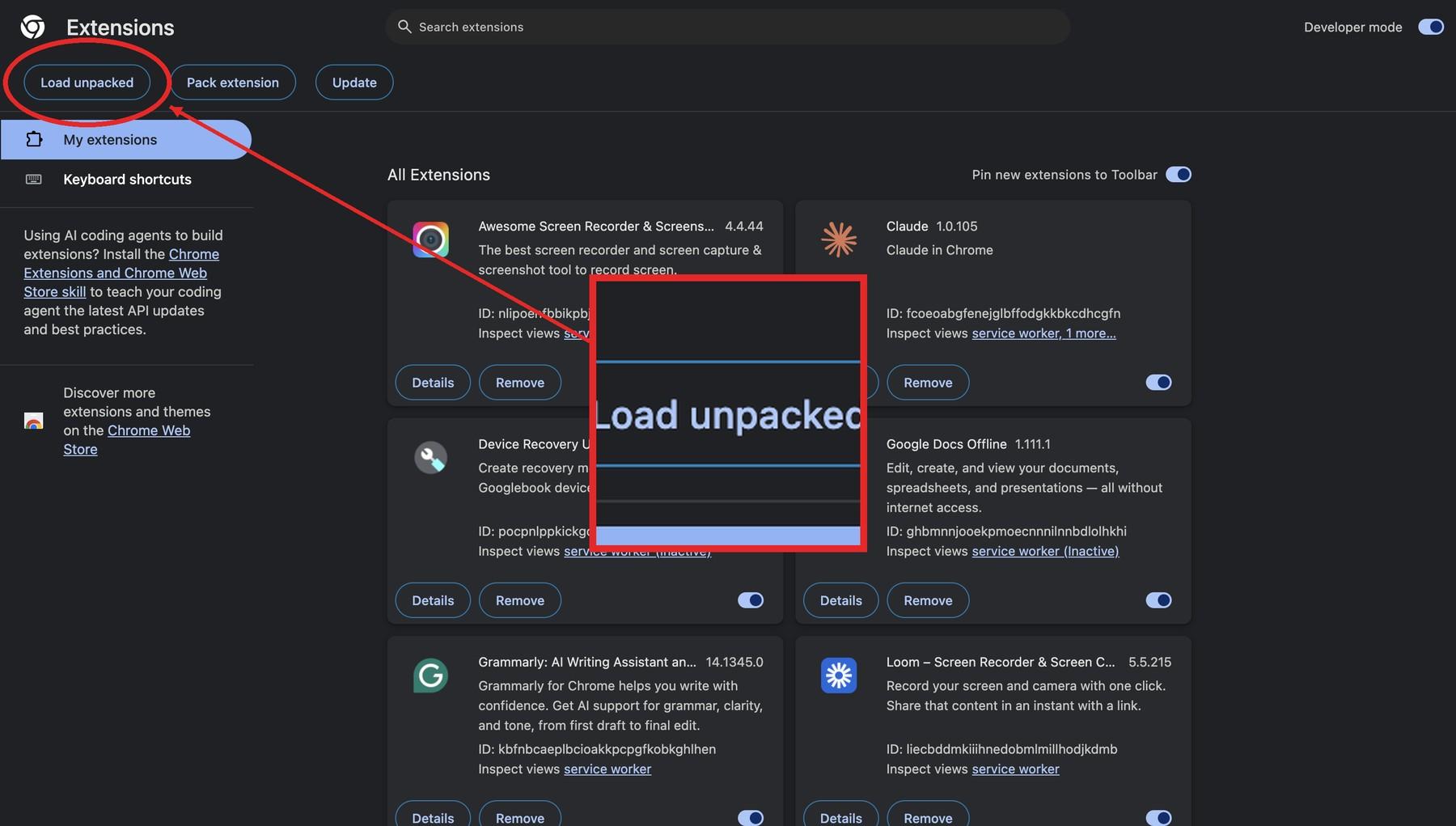
5.Click Load unpacked
Click Load unpacked (top-left), then choose the folder you unzipped. The extension appears in your list and connects to your account.
6.Go back to your dashboard
The dashboard sees the extension within a few seconds and unlocks the next step: adding a Reddit account.
Why isn't it on the Chrome Web Store?
redditbot.dev is installed directly from your dashboard instead. Loading an extension unpacked is a standard Chrome feature for extensions distributed outside the store; Developer mode only lets Chrome load it from a folder.
Does it update itself?
No. When a new version is out, the dashboard shows a banner with a download link. Replace the files in your folder with the new ones and click the reload icon on the extension's card in chrome://extensions.
Does my computer need to stay on?
Yes. The extension works in your own Chrome, so campaigns run while Chrome is open and the computer is awake. The dashboard can keep the screen awake for you.
What can the extension access?
Only reddit.com pages it opens itself, and redditbot.dev's own servers. It doesn't read your other tabs or history. See the security page for details. Security details.